 Present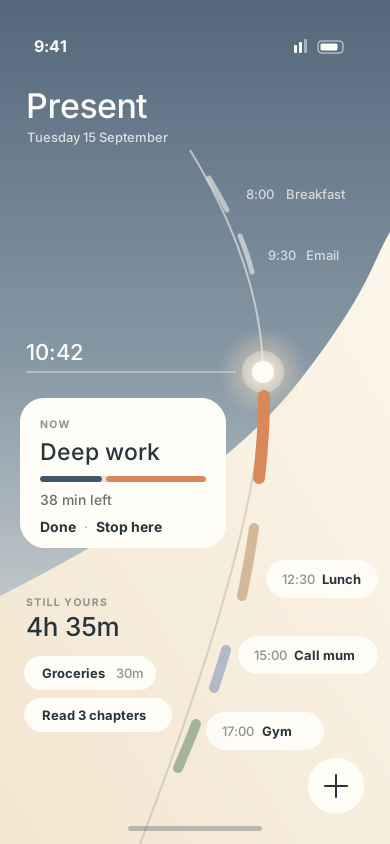
A day you can touch
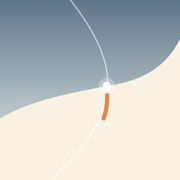
Your hours curve down the screen. What you're doing now holds still, and the rest of the day moves around it.
Your day as a curve you can touch. Move one thing, see exactly what it costs, and let go. When the day breaks — and it will — nothing turns red.
Free to use, every day. No account needed.
Most planners are good at making a plan. Present is good at the part that comes after: when the plan meets the day.
Your hours curve down the screen. What you're doing now holds still, and the rest of the day moves around it.
Drag a plan and a line above your finger reads what it moves before you let go.
"Lunch moves to 13:45"Letting go is the answer. There's no confirm sheet, no Apply — and Undo waits right beside whatever changed.
When something outlasts its time you get two honest answers: Still going, and the day yields — or Done. No tally of lost minutes.
Keep things with a name and no time. Being asked when is what derails a good intention — so Present doesn't ask.
Type it the way you'd say it. Length, time and repeat days come from the words — one field, no switches.
"Gym 1h mon wed fri"Pick something up and the day lights every place it could go. Where you put it is what it means — nothing to memorise.
Other apps rearrange your life for you, or leave you dragging blocks with no idea what breaks. Present does it with you: carry a plan into an opening and everything it touches says what will happen.
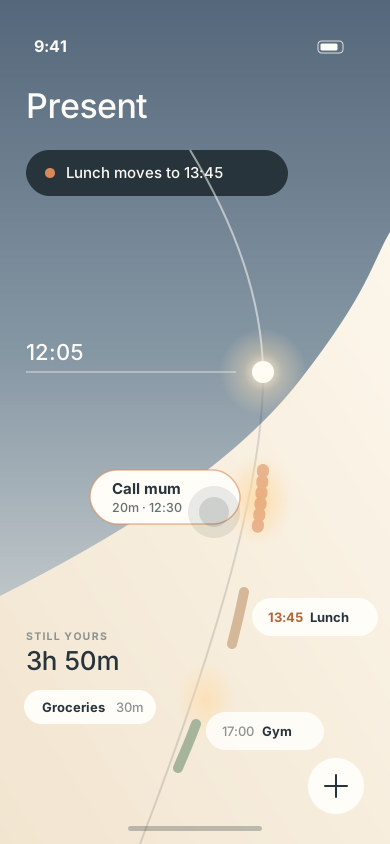
Pull the running block down through now. The time you spent stays on the curve as a trace of what really happened, and the rest follows your finger to an opening — or back to the shelf.
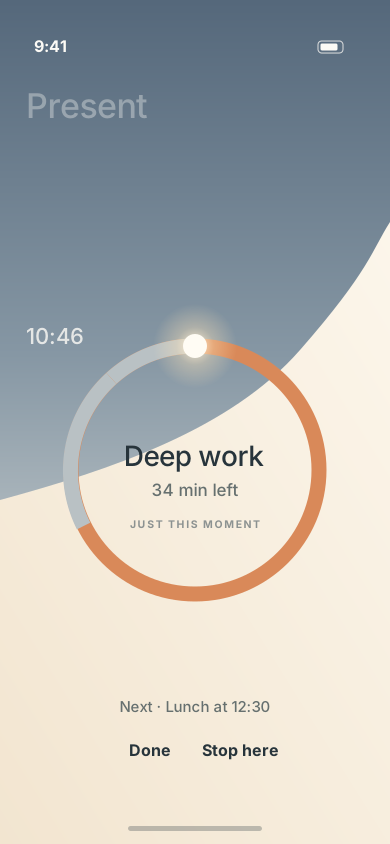
Tap it instead, and the whole day folds into a ring around this one thing. Tap the ring, and the day opens again.
Alarms that make you solve maths at six. Habit apps that grade your week. A red wall of what you didn't do yesterday. Present takes the other side.
The day is just the day. Pick it back up.
Everything you need to live today costs nothing. Present Pro is for arranging tomorrow the evening before.
Yes. Everything about today — planning, moving, stopping, the shelf, focus — is free and stays free. Present Pro is an optional upgrade for arranging tomorrow ahead of time.
No. There's nothing to sign up for. Open the app and your day is there.
On your phone. Present has no server of its own, so your plans never leave your device. The only outside service is RevenueCat, which checks whether you have Present Pro. Details are in our Privacy Policy.
Yes. The whole app works without a connection. Buying or restoring Pro needs one, and Pro keeps working offline once you have it.
Pro stays active until the end of the period you paid for. After that you simply can't arrange tomorrow ahead — nothing you made is deleted or locked away.
Your day travels with your phone's own backup. Pro can be restored on any device signed in to the same App Store or Google Play account — see Support.
Yes. Every animation has a still version, and Present follows your phone's Reduce Motion or Remove animations setting.
Present is on the App Store and Google Play now. Free to use, with nothing to sign up for.